
AI & SEO
Easy to find, easy to quote, easy to edit with AI
Search engines and AI assistants both want the same thing: clean pages with a clear title, a real description and content in plain markup. A hand-built site gives them that by default. cmsspot adds the tools to do it well, and lets an AI assistant do the editing when you ask it to.
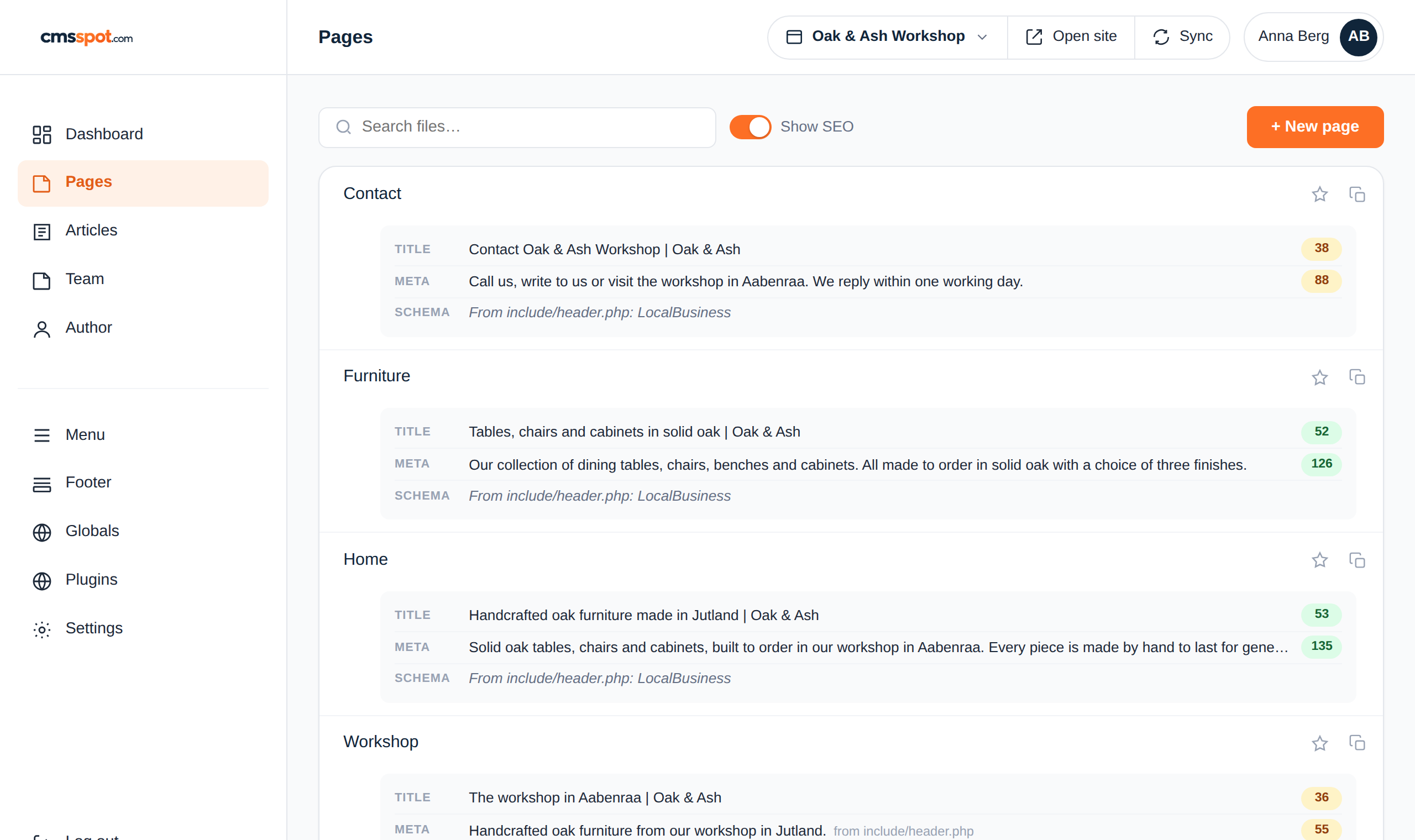
See the whole site's SEO at a glance
Switch on Show SEO in the page list and every page shows its title, meta description and schema with the length in colour. Green is the right length, orange is a bit short or long, red is missing or cut off. You can see which pages need work without opening a single one.
It understands how PHP sites are built: a title set as a variable at the top of the page, combined with a suffix in the header file, is counted as the full title Google will show.
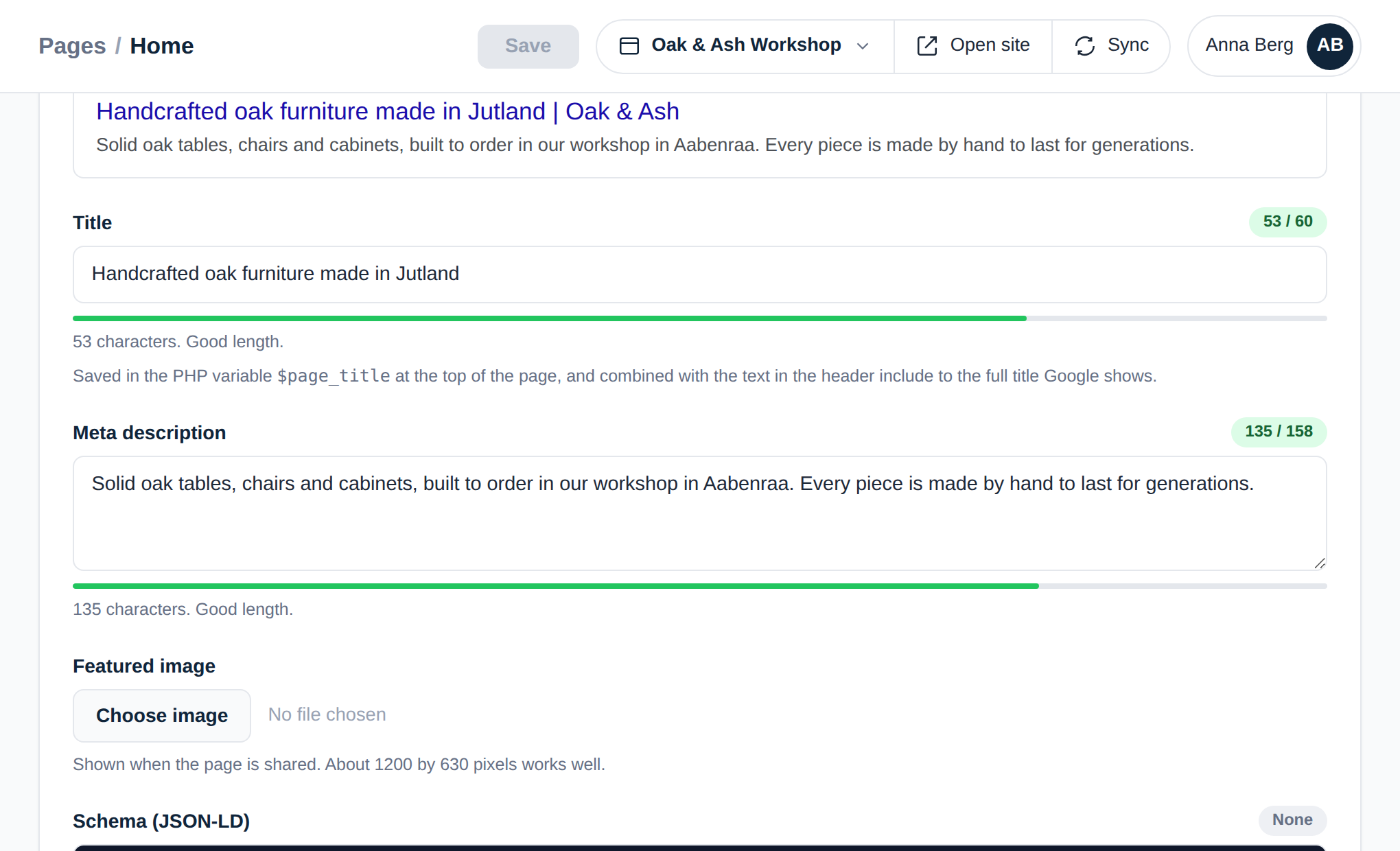
Write the title and see the search result
The SEO box shows a preview of the search result as you type, with a counter and a bar for the title and the description. Schema is checked as JSON while you write, and it tells you which types the page carries. Invalid schema is never saved, so a typo cannot break the structured data on the live page.
A page that inherits its description from the shared header says so, and links you to where it is set.
GEO: being the answer an AI gives
Generative engine optimisation is what SEO becomes when the reader is an AI assistant. Assistants quote pages they can read cleanly: a question answered in one short paragraph, a heading that says what the section is about, facts stated plainly with the place and the name in the sentence. They skip content hidden behind scripts, builders and tabs.
A hand-built site is already in the best possible shape for this, because the content is in the HTML. cmsspot keeps it that way. Pasted text is cleaned to plain paragraphs and headings, schema is kept valid, and nothing is wrapped in a framework. The page an assistant reads is the page you wrote.
Let Claude edit your site, on your terms
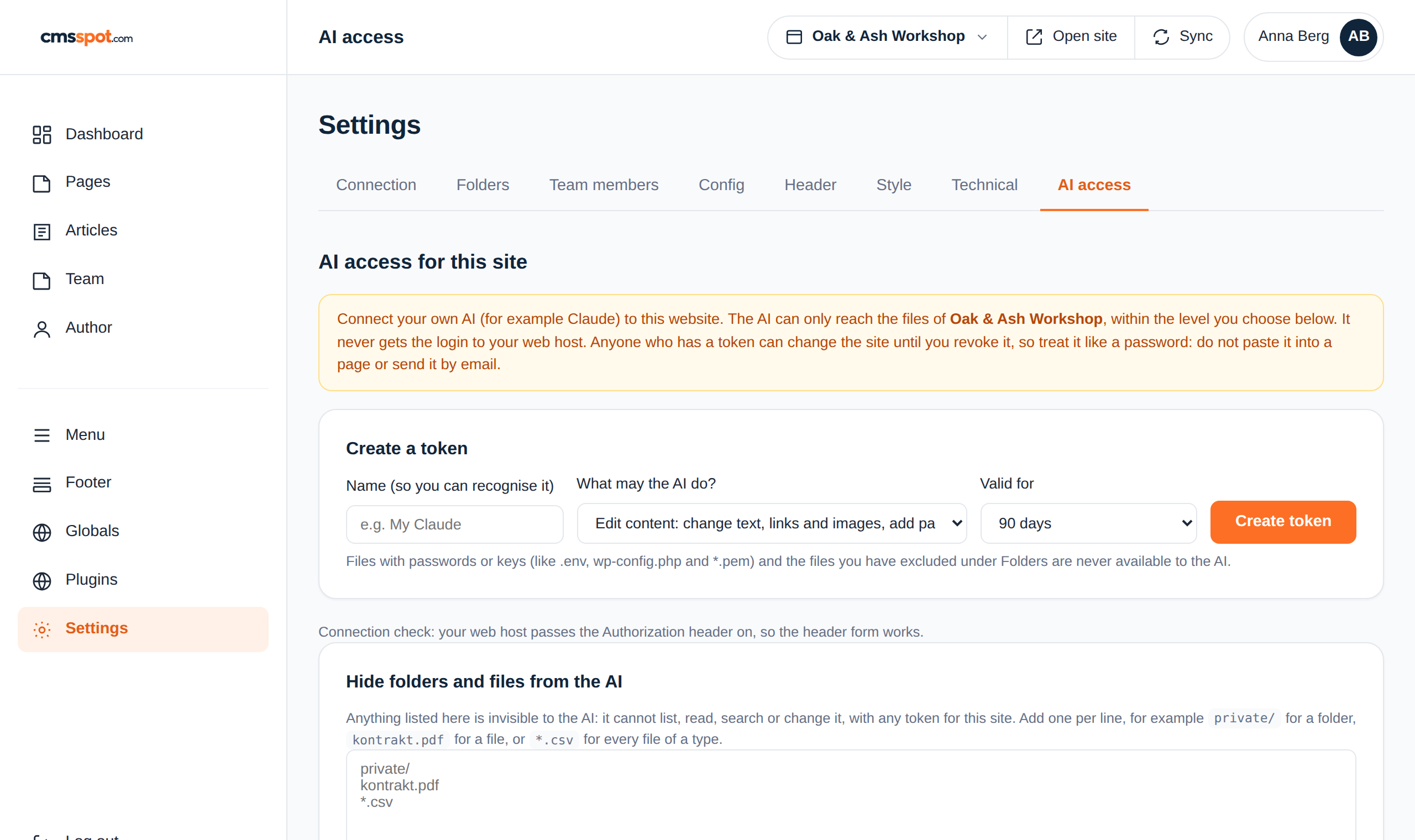
cmsspot has a built-in MCP server, which is how AI assistants such as Claude connect to tools. Create a token for one site, pick what the assistant may do, and set when it expires. Then paste one command into the assistant and it can read your pages, change text and images, create pages and check HTML.
Three levels: read only, edit content, or full file access. Files with passwords are always hidden, and you can hide any other folder or file yourself. Every call is logged, and the token can be revoked in one click.
What AI access is good for
- "Go through all pages and tell me which titles are too long." The assistant reads the site and answers, without changing anything.
- "Rewrite the service page so it answers what a roofer in Odense costs." It changes the fields, and the page keeps its layout.
- "Add a page about winter storage and put it in the menu." It creates the page from the site's template and you check it before it goes further.
- "Check every page for broken links and missing alt texts." It reports back with a list.
What it cannot do is reach any other site, see your server login, or run code on the server. The token is tied to one site and one user, and it loses its power the moment you revoke it.
Build the site with AI too
Before there is a site to edit, Claude can build one. The free cmsspot build guide is an MCP server with no login that tells an assistant how to structure a fast PHP site for cmsspot, with templates and a page check.
Technical SEO without a plugin
- Title, meta description, Open Graph image and schema per page, with length feedback as you type.
- A sitemap built from your pages and articles, rebuilt whenever you ask.
- Direct editing of robots.txt, .htaccess and other technical files.
- Redirects and clean URLs as rules in .htaccess, edited in the same place.
- A cookie banner that scans the site for trackers and follows Google Consent Mode, so analytics keeps working lawfully.
Read more: Speed · Security · Articles on SEO and AI
Get started
Connect your site and your assistant
Create an account, connect a site, and create a token for Claude. Ten minutes from start to the first AI-made edit.